
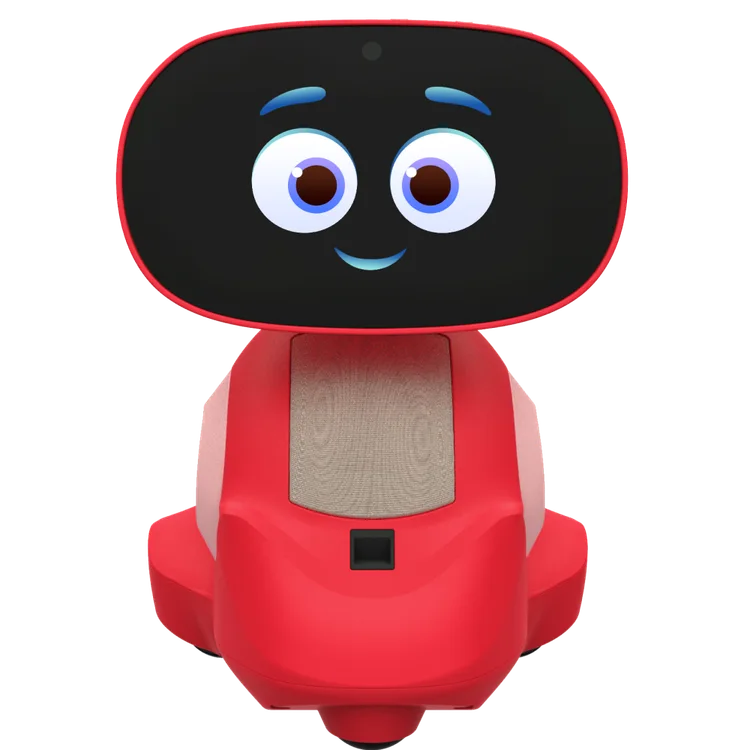
Miko 3
Limited evidenceRead the findings →Miko's wheeled learning robot for young children, with a screen face, games, stories and video calls. It works best as a connected entertainment toy. It's slow to understand children, though, and limited without the paid subscription.
Updated
See the alternatives below, or switch market.
Where it sits in Miko’s range
- Miko MiniSmaller, cheaper Miko with a shorter claimed battery life
- Miko 2The earlier Miko learning robot for children
- Miko 3This model
Feedback
What we know
The one finished review here is The Gadgeteer's home test of a sample Miko supplied. The reviewer liked the paid content but found conversation slow, and would struggle to recommend it without Max. The Toy Insider mostly repeats the feature list, so it doesn't count towards the review total. One family's test says little about long-term use or how other children will get on with it.
The Gadgeteer, hands-on, Mar 2025 (Free sample from Miko; tested with a young child) · The Toy Insider, hands-on, Mar 2025 (Restates Miko's feature list, with Miko's photos and no sign of testing)
Much of it sits behind Max
The Gadgeteer would have a hard time recommending Miko 3 to most families without the Max subscription, saying it's pretty limited without it. Max adds Disney and Paramount stories, iHeart music, DaVinci games and shows, the Story Coach app and fuller parental controls. Miko's store sells Max as an optional monthly or yearly plan with a trial Miko. Budget for it from the start, because the robot on its own offers only a small taste of each activity.
A tablet dressed as a robot
The Gadgeteer found most of the entertainment works like ordinary tablet apps, with little that uses the robot body. The reviewer's son loved the Disney and Vooks stories, but those are the same things he enjoys on his usual Android tablet. The wheels let Miko scoot around flat floors. If your child already has a tablet with good children's apps, think about what the robot adds before you buy.
Conversation is slow and cautious
The Gadgeteer found conversation slow, with questions often misunderstood and plenty of suggestions to ask a parent. The reviewer's young son struggled to use it by voice. Miko aims it at ages five to ten, but the review didn't compare children of different ages or accents. If chat is the feature you most want, try a demonstration with your child first.
The battery drains while off
Miko claims six to seven hours of play and about four hours to charge Miko. The Gadgeteer found the battery drained fast when idle: switched off at about half charge, it was often flat the next day. None of the reviews we use timed it in play. Keep it on its charger between sessions so it's ready when your child wants it.
Sturdy, with handy video calls
The Gadgeteer found Miko 3 survived being dropped and liked being able to video-call from the robot to a phone or tablet with the Miko app. Setup took at least 30 minutes, but the companion app was easy to use. One glitch was annoying: after a video, Miko's face filled the screen with a suggestion and then stayed there without offering a way forward.
Only one independent hands-on review counts, and it used a free sample from Miko. The Toy Insider's write-up restates Miko's features, so we don't count it.
Our take
Should you buy the Miko 3?
Best for: Children aged five and over who enjoy stories, songs and games. Skip it if: You do not want an ongoing paid plan.
Miko 3 is best approached as a connected entertainment toy. The review found useful paid content, but slow conversation and battery problems make it difficult to recommend on that evidence alone. Try a demonstration with your child and check the full cost of Miko Max. Compare the Mini's features separately before treating it as a cheaper equivalent.
Miko 3 is the bigger of Miko's two robots for children, about 22cm tall with a screen for a face and wheels to drive about on flat floors. A camera recognises your child, and children can talk to it, play games, listen to stories and video-call a parent's phone through the Miko app. Much of the content, including Disney stories and music, sits behind the optional Miko Max subscription.
The Gadgeteer tried it at home with a young son, on a free sample, and found the robot pretty limited without Miko Max, with conversation that was slow and cautious and a battery that drained even when switched off. Miko itself claims eight languages, six to seven hours of play and strong child-privacy protections. Budget for Max from the start if you buy one.
Before you buy
The questions people ask about this one
Does it need a subscription to keep working?
No, but it's limited without one. Miko Max is optional Miko, and The Gadgeteer found the robot offers only a small sample of each activity without it. Max adds the Disney, Paramount and music content, Story Coach and fuller parental controls, so treat it as part of the cost.
What does it record, and where does that go?
Miko's the specifications describes camera and microphone controls, encryption and child-privacy assurances. Those are the company's claims, and none of the sources here is an independent privacy audit. Before setting it up, read the current privacy policy to see what it collects, how long it's kept and how parents can delete it.
Is it OK for young children?
Miko designs it for ages five to ten the specifications. The Gadgeteer found it struggled with unclear speech and that a young child couldn't use voice commands effectively, though he loved the stories. It survived drops in that test, so it's sturdy enough for family life.
How long does the battery last?
Miko claims six to seven hours of play, per the specifications. The Gadgeteer instead found a partly charged unit lost a lot of charge overnight, even when switched off. Follow Miko's charging instructions and contact support if yours drains unusually fast. That review doesn't show that leaving it on charge all the time fixes the problem.
Can parents control what it does?
Yes. Miko's parent dashboard sets usage limits and lets you turn off the camera and mic Miko, and The Toy Insider lists app locking, screen-time limits and alarms. The Gadgeteer found the fuller parental controls come with Miko Max.
Alternatives
Other companion robots to compare.
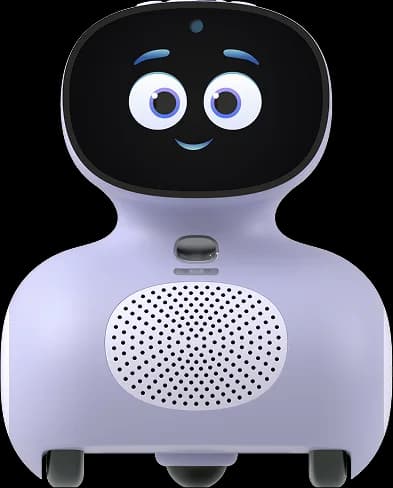
Miko Mini
Why consider it: Miko's smaller robot with the same kind of stories, songs and parental controls, and a family test found children loved it.
The compromise: Miko claims only up to 3 hours of play, and it sometimes misheard requests.
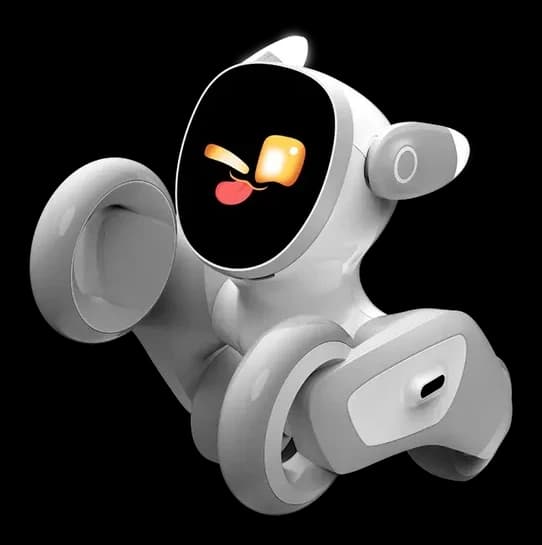
Loona
Why consider it: More of a robot pet than a learning tablet, roaming the floor and playing games with children.
The compromise: No finished independent review yet, and one owner's ears and hip bearings needed repair.
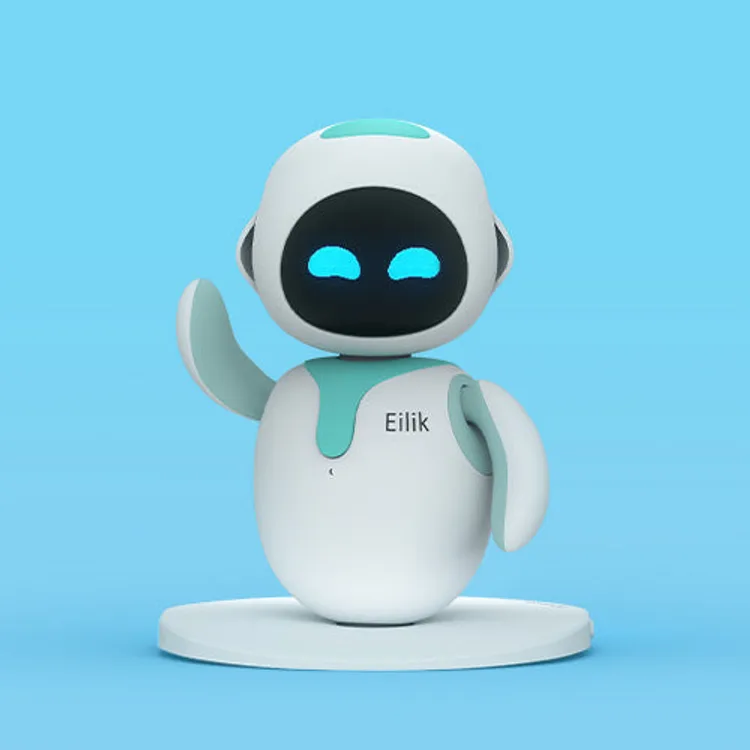
Eilik
Why consider it: A simple desk robot that reacts to touch, with no subscription, no camera listed and no Wi-Fi needed.
The compromise: It doesn't talk, teach or move around the room.
Specs
Full specifications
Each specification names its source. Manufacturer claims are not independent test results; unconfirmed figures are labelled.
Owner reviews
Do you own the Miko 3?
Tell people how it’s held up: cleaning, maintenance, faults and support. Owner accounts are shown separately from independent reviews.
Sources
Where this page’s findings come from
Editorial reviews
- The Gadgeteer: Miko 3: The AI-Powered Learning Robot review - a small tablet dressed as a robot ↗Hands-on · Free sample from Miko; tested with a young child
- The Toy Insider: Miko 3 AI Robot Review ↗Hands-on · Restates Miko's feature list, with Miko's photos and no sign of testing (not counted towards our two-review minimum)
Sources
- Miko: Miko 3 product page and specifications ↗Manufacturer
Videos
- Eric’s Tech World: Miko 3: Best Robot For Kids? (FULL REVIEW) ↗
- Miko Robot: Meet Miko 3 : Ridiculously Smart. Seriously Fun. ↗
- Search YouTube for Miko 3 ↗Search results may include company demonstrations or similar models. Check the source and model name; a demonstration is not an independent performance test.