
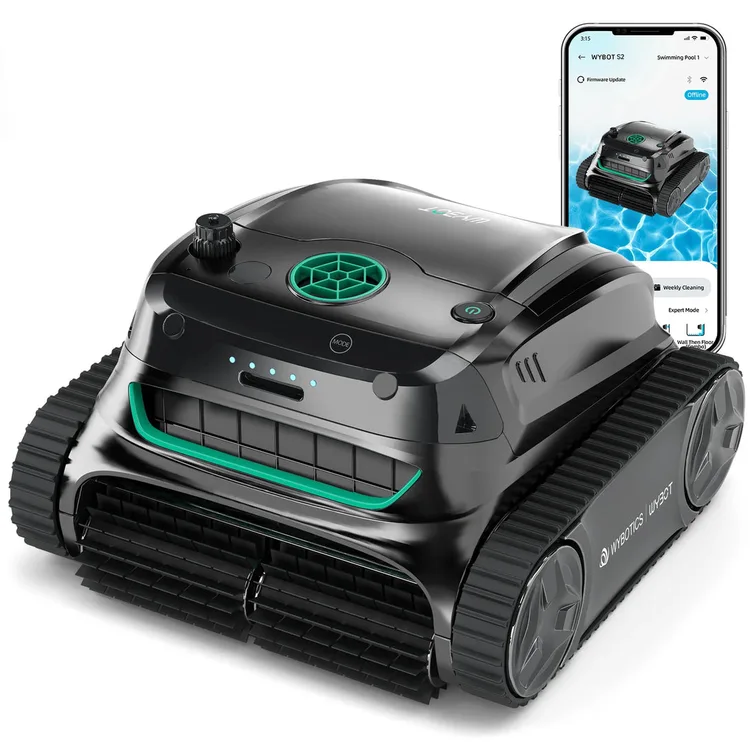
S2
1 S2 test · 1 S2 Pro test with a different dockRead the findings →WYBOT's big cordless tracked pool robot for the floor, walls and waterline. It suits large in-ground pools and cleans thoroughly despite an aimless-looking route. But you hook it out and charge it after every run.
Updated
Check the manufacturer’s site for current availability.
Feedback
What reviewers found
Two hands-on tests, both impressed by the cleaning. PCWorld tested the S2 itself and watched it wander in an odd, stop-start pattern, yet it picked up 99 of 100 test leaves, and fine grit too once the foam filter was fitted. PCMag tested the S2 Pro, the same robot sold with a charging dock, and found it cleaned leaves, acorns and sand from a gunite pool very well. Both found the app flaky: PCWorld couldn't see its cleaning history, and PCMag kept losing the connection.
PCWorld, hands-on, Jul 2024 · PCMag, hands-on, Aug 2024 (tested on the WYBOT S2 Pro; Tested the S2 Pro, the S2 with a charging dock, in a 16 x 32ft gunite pool)
Floor, wall and waterline
Reviewers rate it highlyPCWorld found the pool clean after every run and the waterline scrubbed impeccably, though one wall pattern missed some. On the S2 Pro, the same robot with a dock, PCMag found it did a wonderful job on the floor, walls and waterline.
Debris
Reviewers rate it highlyPCWorld saw the S2 leave one of 100 test leaves behind and catch fine grit once the loose foam filter was fitted. On the S2 Pro, which has the same filters, PCMag found it cleared leaves and acorns and the foam trapped sand.
Coverage and navigation
Not enough evidenceOnly PCWorld has tested the S2 itself. Its route looked lost and stop-start and rarely followed the pattern chosen in the app, yet the pool ended up clean.
Battery and charging
Not enough evidenceOnly PCWorld has tested the S2 itself, getting about 2 hours 45 minutes from a full charge, short of the 210-minute claim. There's no dock, so you plug it in after every clean.
Filter and retrieval
Not enough evidenceOnly PCWorld has tested the S2 itself. It parked within easy reach of the hook after every run and drained quickly, so the 19-pound robot wasn't heavy to lift out.
Pool types it suits
Not enough evidenceNone of the reviews we use has judged which pools the S2 suits. PCWorld tested it in a pool about a quarter of its rated size.
Reliability and support
Not enough evidenceNone of the reviews we use has run the S2 long-term or judged WYBOT's support.
Value
Not enough evidenceOnly PCWorld has judged its value, saying it isn't cheap but performs on a par with some of the most expensive robots.
Verdicts come from independent, hands-on, finished reviews. An area needs at least two of them before we say more than “Not enough evidence”. We don't score robots ourselves. How this works
Strong cleaning, odd route
PCWorld says it has never seen a robot look so lost. The S2 idles on the floor, turns, moves a few feet and turns again, rarely following the pattern picked in the app. Even so, the pool ended up clean: organic leaves and dirt went into the basket, and only one of 100 synthetic test leaves was left behind. PCMag had the same experience with the S2 Pro, which cleared leaves and acorns from a 16 by 32ft gunite pool. Judge it on the result, not on how it moves.
Fit the foam filter
The robot has a mesh filter box and a separate foam filter for fine dirt. PCWorld found the foam filter isn't installed when it arrives. It's in a bag of spare parts, and without it the mesh, which it likens to a pool net, won't catch much fine grit. Once fitted, it trapped fine grit well. On the S2 Pro, PCMag found the foam filter caught sand and other fine particles, and both filters rinse clean with a hose.
Walls and the waterline
PCWorld found it did an impeccable job on the waterline, climbing the wall and scrubbing hard before dropping back to the floor. Try the different wall patterns, though, because its N-shaped one missed a fair bit of the waterline. PCMag found the S2 Pro cleared debris from the floor, walls and waterline, and the app has a waterline-only mode.
Runtime and retrieval
WYBOT quotes up to 210 minutes per charge. PCWorld got about 2 hours 45 minutes from a full battery, short of the claim but still long. At the end of every test run the robot parked by a wall where it was easy to hook out with the supplied pole hook. It drained quickly, so it wasn't heavy to carry, and PCWorld weighed it at 19 pounds. After each run you screw a cap over the charging port before it goes back in.
An app with rough edges
You don't need the app, since buttons on the robot choose floor, walls or both. The app adds turbo and eco floor modes, a waterline mode, cleaning patterns and a weekly schedule. PCWorld found the cleaning history 'temporarily unavailable' throughout its test, and the English translation poor. PCMag could steer the S2 Pro underwater from the app, but the connection kept dropping and it had to restart the app several times.
PCWorld tested the S2. PCMag tested the S2 Pro, the same robot sold with an in-pool charging dock, so its docking findings don't apply here.
Our take
Should you buy the S2?
Best for: Large in-ground pools needing floors, walls and the waterline cleaned. Skip it if: You do not want to lift it out and recharge it after each run.
buy it for a large in-ground pool if you want thorough floor, wall and waterline cleaning and don't mind lifting it out to charge. If you'd rather not handle it after every run, the WYBOT S2 Pro is the same robot with an in-pool dock, and for a smaller pool the WYBOT C2 is lighter.
The S2 is the plain version of WYBOT's S2 family: a cordless robot on tank treads that scrubs the floor, walls and waterline, then parks by a wall for you to hook out. Buttons on the robot pick floor, walls or both, and the app adds more modes, cleaning patterns and a weekly schedule. The S2 Pro adds a charging dock in the pool and the S2 Solar Vision a solar dock and camera, but this one keeps the biggest battery and has no dock, so charging is up to you.
PCWorld tested the S2 itself and says it has never seen a robot look so lost, idling, turning and moving a few feet at a time, yet the pool came out clean, with only one of its 100 synthetic test leaves left behind. It found the waterline scrubbed impeccably, though one of the app's wall patterns missed a fair bit of it, and it got about two and three-quarter hours from a charge, short of WYBOT's claim. PCMag tested the S2 Pro, the same robot with a dock, and found it cleared leaves, acorns and sand from a gunite pool very well. PCWorld found the fine foam filter arrives in a bag of spare parts rather than fitted, and without it the mesh catches little fine grit. Both found the app flaky: PCWorld never saw its cleaning history and PCMag kept losing the connection. You lift the robot out, rinse two filters and plug it in after every clean.
Where to buy
Where to buy the S2 in United States
No United States price checked in the last 21 days. We re-check daily.
We’re still looking for more United States retailers for this model.
Price-drop alert
Get an email when the WYBOT S2 gets cheaper in the US.
Before you buy
The questions people ask about this one
Is it cordless, and how long does a charge last?
Yes. WYBOT claims up to 210 minutes a charge and three hours to recharge, per the specifications. PCWorld got about 2 hours 45 minutes from a full battery. This version has no dock, so you lift it out and plug it in after each run.
Does it climb walls and clean the waterline?
Yes. PCWorld found it scrubbed the waterline impeccably, though one of the app's wall patterns missed parts of it. PCMag found the S2 Pro, the same robot with a dock, cleaned the floor, walls and waterline well.
Does it handle leaves as well as fine dirt?
Yes, once the foam filter is fitted. PCWorld found it collected leaves and dirt, leaving one of 100 test leaves, and the foam filter caught fine grit. That filter comes loose in the box, so fit it before the first run.
How do I get it out of the water?
It parks near a wall when it finishes, and you pull it out with the supplied hook on a pool pole. PCWorld found it parked within easy reach every time and drained quickly.
Do I need the app?
No. Buttons on the robot pick floor, walls or both, and the app adds more modes, cleaning patterns and a weekly schedule, per the specifications. PCWorld found the app rough, with its cleaning history unavailable, and PCMag saw frequent dropouts.
Alternatives
Other robotic pool cleaners to compare.
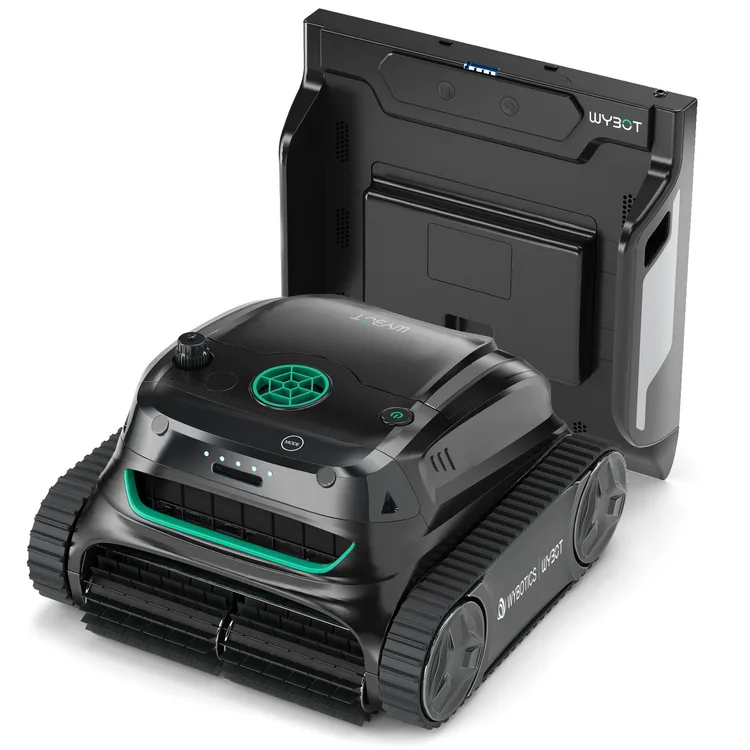
S2 Pro
Why consider it: The same robot with a dock on the pool wall that it drives back to and charges on, so you lift it out less.
The compromise: PCMag's robot couldn't climb onto the dock because the pool's tiles stuck out.
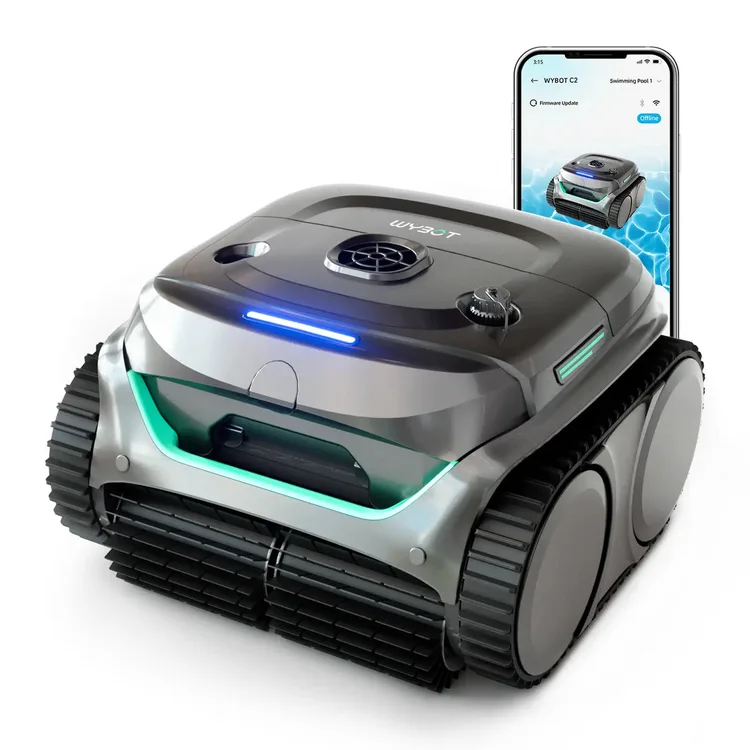
C2
Why consider it: A smaller cordless WYBOT that two testers found simple and effective on everyday debris across the floor, walls and waterline.
The compromise: A third tester found its suction weak.
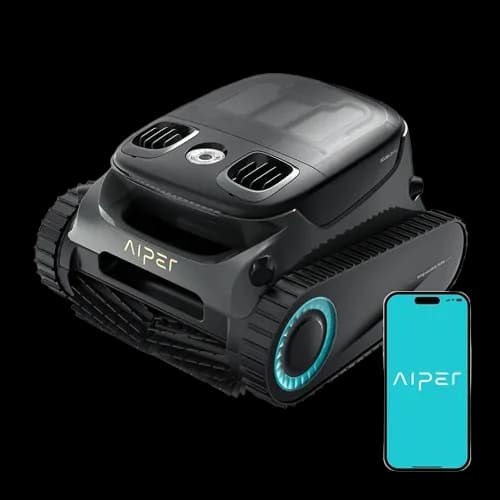
Scuba S1 Pro
Why consider it: Another big tracked cordless robot, and PCWorld removed 95% of its test leaves with it.
The compromise: It's heavy and awkward to lift out when full of water, and the app does little.
Specs
Full specifications
Each specification names its source. Manufacturer claims are not independent test results; unconfirmed figures are labelled.
Owner reviews
Do you own the S2?
Tell people how it’s held up: cleaning, maintenance, faults and support. Owner accounts are shown separately from independent reviews.
Sources
Where this page’s findings come from
Editorial reviews
- PCWorld: Wybot S2 robotic pool cleaner review: The method to its madness ↗4.5 / 5Hands-on
- PCMag: Wybot S2 Pro Cordless Robotic Pool Cleaner Review ↗3.5 / 5Hands-on · Tested on the WYBOT S2 Pro · Tested the S2 Pro, the S2 with a charging dock, in a 16 x 32ft gunite pool
Sources
- WYBOT: WYBOT S2 product page ↗Manufacturer
Videos
- Family First Reviews: I Tested the Solar-Powered WYBOT S2 Pool Cleaner: MY FULL REVIEW ↗
- Definitely David: Wybot S2 Review ↗
- Search YouTube for WYBOT S2 ↗Search results may include company demonstrations or similar models. Check the source and model name; a demonstration is not an independent performance test.