
EMO
Limited evidenceRead the findings →LivingAI's tiny desk robot, with a screen face and little legs for wandering about. It's charming company if you want a lively desk character. Its voice recognition is patchy, so expect to repeat yourself.
Updated
See the alternatives below, or switch market.
Where it sits in LivingAI’s range
- EMOThis model
- EMO GO HOMEThe same EMO, sold with LivingAI's Home Station
- AIBI PocketPocket-sized LivingAI pet you can carry around
Feedback
What we know
What follows comes from LivingAI's own pages and from owners, as we couldn't find a finished independent review. The droid you are looking for, a robot collector who bought one in 2022, loved its animations but found the voice recognition bad and the replies slow. Owners on the LivingAI owner forum split the same way: some adore it, while one says it stopped responding to basic commands and support was no help.
The droid you are looking for, hands-on, Apr 2022 (Owner's first impressions on 2022 firmware; An owner's blog post of first impressions, with no test method)
The animations are the draw
LivingAI claims more than 1,000 expressions and movements LivingAI, and The droid you are looking for was impressed. The animations were more varied and far more numerous than on Anki's Vector, and EMO wobbles around on its own when it's off its skateboard. Owners on the LivingAI owner forum share small moments, like one whose baby crawled for the first time to reach EMO, and another whose EMO answered a rude remark with "That wasn't very nice". This character is what everyone who likes it talks about.
Voice commands often go unheard
The droid you are looking for called the voice recognition bad, couldn't register a face by saying "my name is", and had to use the app instead. EMO then didn't recognise the owner from a different angle. Replies were slower than Vector's because they come from LivingAI's servers. On the LivingAI owner forum, one owner who got EMO in December 2023 said it ignored "Emo, dance" until the 12th try and got stuck looking for a sound source when asked their name. These reports are from 2022 to 2024, and later updates may have helped. Still, expect to repeat yourself.
Check the plug and the bundle
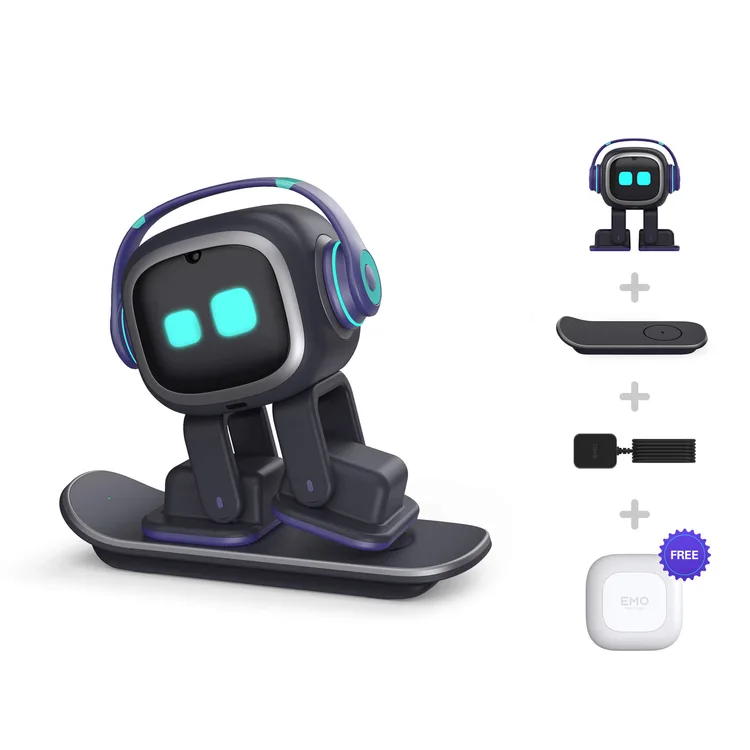
The droid you are looking for ordered from Germany and got a US charger and a US-plug smart light, so neither worked without adapters, and the note about it was buried in the FAQ. A French owner on the LivingAI owner forum shared which adapter fits. LivingAI's shop lists the standard package as EMO with headphones, the skateboard with its cable and a free smart light, sent about two weeks after ordering LivingAI. EMO GO HOME and the Home Station are separate listings. Outside the US, get a plug adapter ready before it arrives.
A connected camera on your desk
EMO has an HD camera that remembers faces and a four-microphone array that listens for its wake word LivingAI. LivingAI's app shows "life moments recorded by Emo". The droid you are looking for points out that it's cloud connected, and guessed that faces and photos stay on the robot, but couldn't confirm it. We couldn't find anywhere LivingAI explains what it stores or sends. If that matters to you, keep EMO out of rooms where you'd mind a camera, or switch it off when you're not playing with it.
Our take
Should you buy the EMO?
Best for: People wanting a playful character on their desk. Skip it if: You need dependable voice commands every time.
buy it if you want a lively little character on your desk and don't mind repeating yourself now and then, because it's a toy rather than a voice assistant. Energize Lab's Eilik is simpler and has no camera, and KEYi's Loona roams the floor instead, though its owners report repair headaches.
EMO is LivingAI's desk pet, about 12cm tall, with a pair of headphones and a skateboard that doubles as its wireless charger. Off the board it wanders about, with sensors under its feet to stop it walking off the edge. A camera learns up to ten faces, it turns towards you when it hears "Hey EMO", and it sets alarms, shows the weather and switches LivingAI's own smart light on and off.
The catch is the voice. LivingAI claims up to four hours on a charge and lists no subscription. The one detailed owner write-up found, and plenty of forum posts, describe voice commands that get missed or answered slowly. Voice replies come from LivingAI's servers, so it's a connected camera and four microphones on your desk. EMO GO HOME is the same robot sold with LivingAI's Home Station.
Before you buy
The questions people ask about this one
Does it need a subscription to keep working?
LivingAI's product page lists no fee LivingAI, and The droid you are looking for notes there's no subscription, unlike the paid server access Vector needs. Voice answers do come from LivingAI's servers, though, so EMO relies on the company keeping them running.
What does it record, and where does that go?
It has an HD camera for face recognition and four microphones the specifications, and the app keeps the photos it takes as "life moments" LivingAI. The droid you are looking for thought faces and photos probably stay on the robot but couldn't confirm it, and we found no clear statement from LivingAI either. Treat it like any connected camera.
How long does the battery last?
LivingAI claims up to four hours the specifications, and nobody has measured it independently. It charges wirelessly on its skateboard, which can also charge a phone at 5W. The droid you are looking for also needed a local power adapter to use the charger outside the US.
Is it suitable for young children?
LivingAI doesn't give an age rating the specifications. EMO weighs about 250g and has sensors under its feet to stop it walking off the desk. One parent on the LivingAI owner forum says their baby adores it. It's a small gadget with moving legs, so treat it as a desk toy to use with an adult around, not something to carry about.
Does it work offline?
Not fully. The droid you are looking for found voice replies come from LivingAI's servers, so questions, weather and similar features need a connection. LivingAI says its smart light works without any network setup LivingAI. We couldn't find a list of what else keeps working when your Wi-Fi is down.
Alternatives
Other companion robots to compare.
Eilik
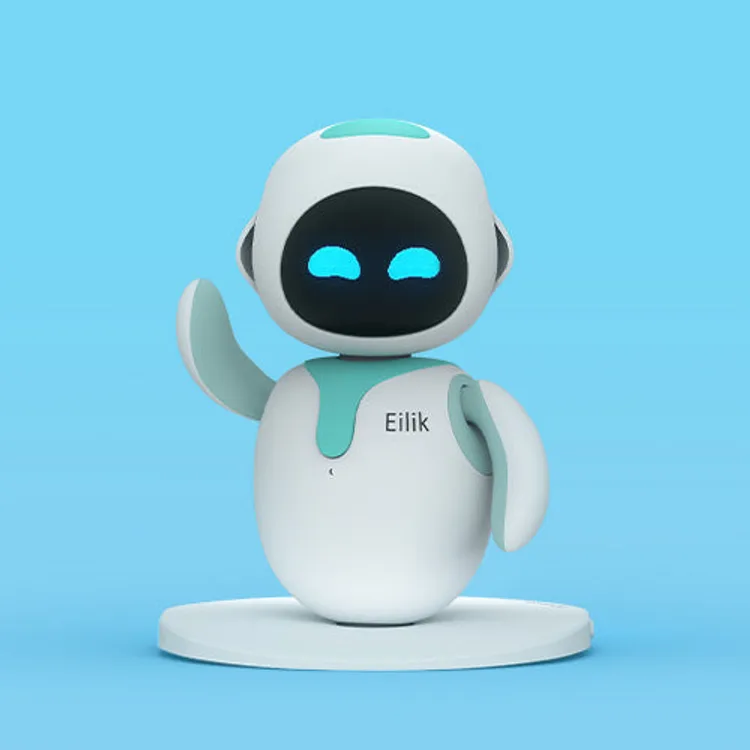
Why consider it: A simpler desk character that reacts to touch, needs no Wi-Fi and has no camera listed.
The compromise: It doesn't walk around or recognise you, and its battery lasts about 90 minutes.

Loona
Why consider it: A robot pet that roams the floor and chats using ChatGPT, according to KEYi.
The compromise: One owner's ears and hip bearings needed repair, and it hasn't had a finished independent review either.

Vector 2.0
Why consider it: Another expressive desk robot that recognises faces, whose one full review loved its personality.
The compromise: Voice commands need a paid subscription.
Specs
Full specifications
Each specification names its source. Manufacturer claims are not independent test results; unconfirmed figures are labelled.
Owner reviews
Do you own the EMO?
Tell people how it’s held up: cleaning, maintenance, faults and support. Owner accounts are shown separately from independent reviews.
Sources
Where this page’s findings come from
Editorial reviews
- The droid you are looking for: Welcome Emo, my new desktop pet: first impressions ↗Hands-on · Owner's first impressions on 2022 firmware · An owner's blog post of first impressions, with no test method (not counted towards our two-review minimum)
Sources
- LivingAI owner forum: EMO owners: list your personal review and experience here ↗Owner thread
- LivingAI: EMO features ↗Manufacturer
- LivingAI: EMO product specifications ↗Manufacturer
- LivingAI: EMO shop page ↗Manufacturer
Videos
- Bens Stuff: EMO Go Home Review! LivingAI’s Smart Desk Pet Robot ↗
- outsider238: Emo Robot From LivingAI Review ↗
- Search YouTube for LivingAI EMO ↗Search results may include company demonstrations or similar models. Check the source and model name; a demonstration is not an independent performance test.