
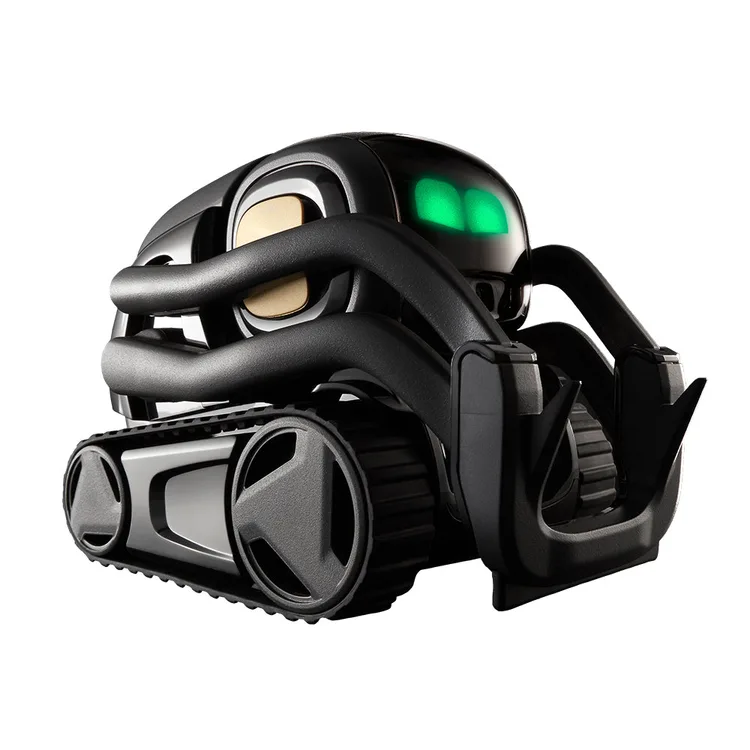
Vector 2.0
Limited evidenceRead the findings →A palm-sized desk robot with a screen face, an updated take on the original Anki Vector. It suits anyone after a characterful little companion or a tinkering project. Its voice commands need a paid subscription.
Updated
See the alternatives below, or switch market.
Where it sits in Digital Dream Labs’s range
- Anki Vector (original)Same look, older camera and a harder-to-replace battery
- Vector 2.0This model
- Cozmo 2.0Planned update to the cube-playing Cozmo; not yet on sale
Feedback
What we know
There's one finished review plus the maker's page. Gamereactor kept Vector 2.0 on an office desk and scored it 8 out of 10. He loved its personality: it wakes up, recognises him, says his name and goes exploring. He found setup clunky, replies slow and the voice hard to understand, and the maker told him the robot was still under heavy development. Battery life, long-term reliability and the subscription features haven't had an in-depth look yet.
Gamereactor, hands-on, Feb 2026 (Tested while the maker was still updating it)
A personality that works
Gamereactor found Vector's charm hard to pin down but real. On his office desk it snored in its dock, woke up and squinted to check it was him, then said his name and rolled off to explore. It gets cross when picked up and almost purrs when you stroke its head. Colleagues who'd had their faces scanned kept dropping by to see it. He reckoned it could easily become a permanent fixture on his desk.
Setup and speech need work
Gamereactor found setup cumbersome and wanted Vector to respond faster after hearing 'Hey Vector'. With its small speaker and robotic voice, its answers were sometimes hard to make out. Digital Dream Labs told him the robot was under significant development and that a simpler app was coming, so your experience may differ from his. He still advised judging a gadget on what it does today, not on promises.
The subscription question
Digital Dream Labs says Vector needs a paid subscription for voice commands. Without one, it listens when you say 'Hey Vector' but doesn't respond the specifications. It can still roam, react and play without the plan, but it won't connect to the maker's cloud, which the maker says is where the action happens. A new Vector comes with the first 28 days free the specifications. Gamereactor felt the separate AI mode wasn't essential to what Vector is.
What's new in 2.0
The maker says Vector 2.0 looks the same as the original, but has a battery with up to 30% more runtime that you can replace at home, and a 2MP camera for better face recognition the specifications. Gamereactor lists about 35 minutes of use between charges and a weight of 185g. Reviews of the original Anki Vector can't tell you how 2.0 behaves, so we've left them out.
This covers Vector 2.0. We don't count reviews of the original Anki Vector.
Our take
Should you buy the Vector 2.0?
Best for: People wanting a playful character on their desk. Skip it if: You do not want an ongoing paid plan.
Buy it if you want a characterful desk companion and you're happy to pay monthly for voice commands, or you enjoy tinkering. Energize Lab's Eilik needs no app or Wi-Fi at all, and LivingAI's EMO is a walking desk character that recognises people and reacts to sounds.
Vector 2.0 is a small tracked robot that lives on your desk, rolls off its charger to explore, lifts a little arm, shows moods on a screen face and recognises people by name. Say 'Hey Vector' and it can give the weather, set a timer or take a photo. It looks the same as the original Anki Vector but has a sharper camera and a battery you can swap at home.
We found one completed independent review. Gamereactor loved Vector's personality but found setup clunky, replies slow and the voice hard to understand at times. Voice control needs a subscription. Without it Vector still roams and reacts, but it doesn't answer when you speak to it, and the voice features run through the maker's cloud. Gamereactor lists about 35 minutes per charge, and it isn't sold in the UK.
Before you buy
The questions people ask about this one
Does it need a subscription to keep working?
For voice, yes. Digital Dream Labs says Vector needs a paid subscription for voice commands and AI features, sold monthly or yearly, with the first 28 days free the specifications. Without it, Vector still explores and reacts, but says nothing when you talk to it. Gamereactor felt the extra AI mode wasn't central to Vector's appeal.
Does it work offline?
Partly. The maker says Vector works without the subscription but won't be connected to its cloud the specifications, and you need Wi-Fi to set it up, as Gamereactor describes. Weather, answers to questions and other voice replies all rely on that cloud connection.
What happens if the company stops supporting it?
Vector's voice features rely on the maker's cloud the specifications, so if that service stopped, they would too, though the robot would still roam and react. Gamereactor was told the company was going through a major transformation. Buy from a seller with a clear returns policy, and try every feature you care about early on.
How long does the battery last?
The maker claims up to 30% more runtime than the original Vector, and says you can replace the battery at home the specifications. Gamereactor lists about 35 minutes of use between charges. Vector naps in its dock between sessions, so a short battery matters less than it would on a robot you carry around.
Is it suitable for young children?
The maker's page gives no age guidance the specifications. Vector is small and light, at about 185g according to Gamereactor, and has sensors that stop it rolling off the edge of a desk. Setup needs an app and Wi-Fi, so younger children will need an adult to help.
Alternatives
Other companion robots to compare.
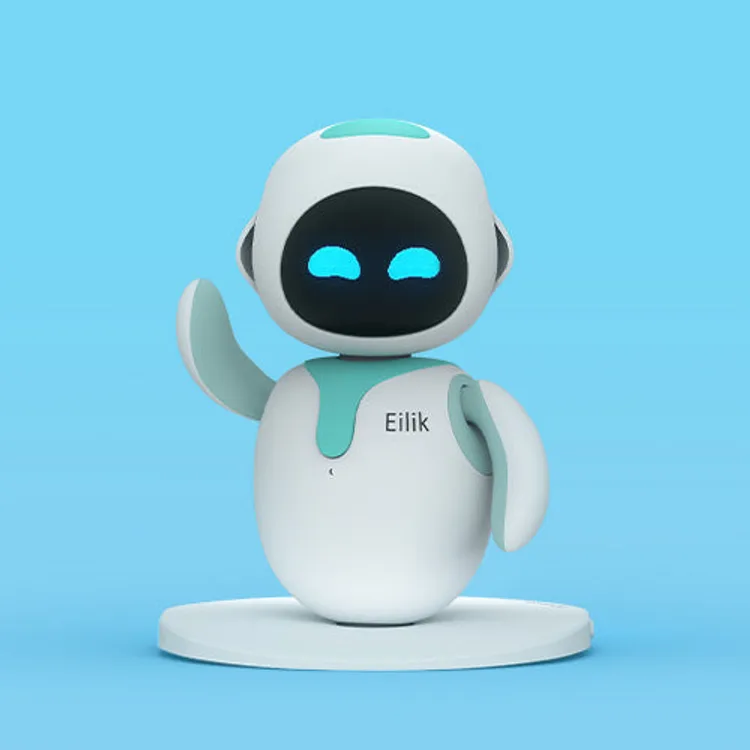
Eilik
Why consider it: A tiny desk robot with a cartoon face that giggles, sulks and dances, with no app or Wi-Fi needed.
The compromise: It doesn't chat, and the battery lasts about 90 minutes.
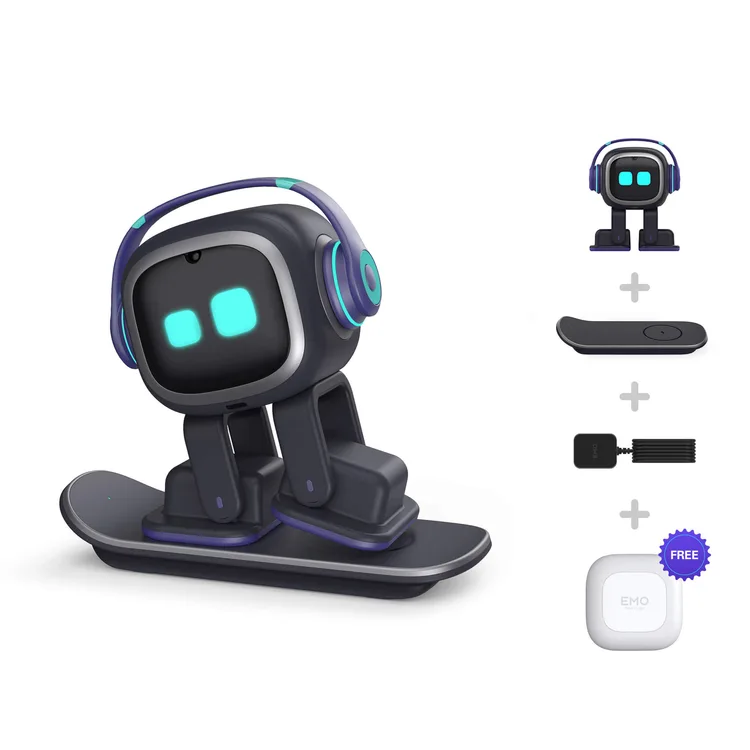
EMO
Why consider it: A small walking desk character that recognises people, tracks sounds and keeps away from the edge of the desk.
The compromise: Owners are split on whether its charm lasts, and voice recognition can be patchy.

Loona
Why consider it: A bigger pet robot that roams the floor, whose animated ears and eyes win owners over.
The compromise: Owners report leg and wheel faults, and support is hit and miss.
Specs
Full specifications
Each specification names its source. Manufacturer claims are not independent test results; unconfirmed figures are labelled.
Owner reviews
Do you own the Vector 2.0?
Tell people how it’s held up: cleaning, maintenance, faults and support. Owner accounts are shown separately from independent reviews.
Sources
Where this page’s findings come from
Editorial reviews
- Gamereactor: Digital Dream Labs Vector 2.0 ↗8 / 10Hands-on · Tested while the maker was still updating it
Sources
- Digital Dream Labs: Vector 2.0 product page ↗Manufacturer
Videos
- Hassle Free Reviews: Digital Dream Labs - Meet Vector 2.0 Your Smart Desk Robotic Pet ↗
- Hassle Free Reviews: Vector 2.0 Robot Review 2026 — Still Worth It? AI Desk Companion (Digital Dream Labs) ↗
- Search YouTube for Digital Dream Labs Vector 2.0 ↗Search results may include company demonstrations or similar models. Check the source and model name; a demonstration is not an independent performance test.