
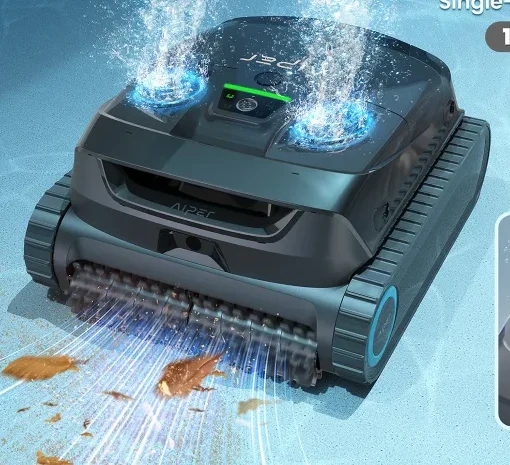
Scuba X1
3 independent reviewsRead the findings →Aiper's entry-level cordless X1, with a charging dock and a very fine filter. It suits regular in-ground pools with lots of fine dirt. But you fish it out with a hook, and the filter is a chore to clean.
See the alternatives below, or switch market.
Feedback
What reviewers found
Three hands-on tests. Les Numériques and Digital Trends found it did a good job on the floor and was easy to live with. PCWorld was far less impressed: it left a fair amount of debris behind, and the fine filter was a pain to clean. All three say the app adds little and that you'll need the hook to get it out. They also disagree on steps and walls, and on how heavy it is.
Les Numériques, hands-on, Jun 2025 · Digital Trends, hands-on, 2 weeks at home, Nov 2025 · PCWorld, hands-on, Apr 2025
Floor, wall and waterline
Mixed resultsFloors are its strength for Digital Trends, whose pool was spotless after an hour, and Les Numériques, though it needed two full passes. PCWorld found it left leaves on the bottom. Wall and waterline scrubbing was adequate rather than thorough for Digital Trends and Les Numériques.
Debris
Mixed resultsLes Numériques rates the 3-micron fine filter its strongest point, and Digital Trends found it handled pebbles, large leaves and fine dirt. PCWorld found it missed quite a bit of test debris, including leaves.
Coverage and navigation
Mixed resultsDigital Trends had no trouble on 8ft walls in a standard pool, but suggests a better-mapping rival for odd shapes. Les Numériques found it treats steps as walls and leaves debris on them, and corners tripped it up in waterline mode.
Battery and charging
Reviewers rate it highlyLes Numériques ran it for 2 hours 50 minutes on the floor with charge to spare, and Digital Trends got about two hours in standard mode, enough for its pool. PCWorld managed two and a half hours at most, a little under the claim.
Filter and retrieval
Mixed resultsAll three lifted it out with a hook, as it doesn't surface by itself. Les Numériques found the baskets easy to hose, but PCWorld called the fine filter a massive pain that needed a scrub brush.
Pool types it suits
Not enough evidenceNone of the reviews we use tried an above-ground pool or compared surfaces. Digital Trends found it fine in a standard in-ground pool but would pick another robot for an odd-shaped one.
Reliability and support
Not enough evidenceDigital Trends noticed some chassis flex but reported no problems during its short home test. None of the reviews we use covers long-term durability or Aiper's support.
Value
Mixed resultsDigital Trends calls it a solid pick and a worthwhile step up from cheaper cordless robots. PCWorld found it very pricey for how well it cleans.
Verdicts come from independent, hands-on, finished reviews. An area needs at least two of them before we say more than “Not enough evidence”. We don't score robots ourselves. How this works
Good on floors, not flawless
Les Numériques found the floor was its strongest area. It moved slowly without stirring up debris, though it took two full passes to collect all the leaves and soil the tester had added. Digital Trends found the pool spotless after a 60-minute floor cycle. PCWorld measured roughly 90% pickup but said it missed quite a bit, leaving leaves on the bottom. Needing two passes in one test doesn't mean every dirty pool will take two.
Walls fine, steps and corners less so
Digital Trends had no trouble with it climbing 8ft walls, and liked that it rises further out of the water than rivals at the waterline, though it struggled with steeper walls and didn't always scrub hard. Les Numériques found it treats steps as walls and doesn't clean them properly, and that corners trip it up in waterline mode. Small swimming goggles also got tangled in its brushes. Brush the steps yourself and pick up toys first.
The fine filter costs you time
It comes with a coarse basket for leaves, a 180-micron basket and a 3-micron MicroMesh layer. Les Numériques found the baskets easy to hose but the fine layer slower, and notes Aiper puts its life at about 30 uses. PCWorld called the three-piece fine filter a massive pain that needed a scrub brush. With leaves rather than dust to deal with, Digital Trends just left the fine filter out. Only fit it when your pool needs it.
Hook, dock and a basic app
All three reviewers used the hook. Les Numériques found you can't stop a run early without Aiper's HydroComm Pro, sold separately, so it carries on until the battery runs low. PCWorld liked sitting it on the dock to charge, but found the app offered little beyond modes and logs. Digital Trends found the app handy for stats, and notes the HydroComm Pure float lets you talk to a compatible X1 underwater. Per Aiper, basic HydroComm only monitors water quality, while Pro and Pure handle underwater communication. Weights differ: Digital Trends says 18lb, Les Numériques 11kg and PCWorld 24lb.
Enough battery for a full clean
Les Numériques ran it for 2 hours 50 minutes on the floor with 10% left, and reckons a 7 by 3.5 metre pool takes about an hour, with walls using more power. It doubts the 200m² claim but couldn't test it. Digital Trends got about two hours in standard mode, enough for its 20,000-gallon pool, and it recharged in under four. PCWorld managed two and a half hours at most.
Our take
Should you buy the Scuba X1?
Best for: Pools where sand, pollen and fine dirt are the main problem. Skip it if: You want it to clean steps without help.
The X1 may suit a regular in-ground pool with fine dirt if you accept hook retrieval and layered-filter cleaning. Floor pickup differed between tests, and steps were weak. V3 and C2 Vision add camera guidance but also have step, ladder or retrieval limitations. The X1 Pro Max adds skimming, with a much heavier lift and unfinished runs in one review.
The Scuba X1 is the entry point to Aiper's X1 family, below the X1 Pro and the surface-skimming X1 Pro Max. Compared with the older Scuba S1 Pro, it has a slightly stronger pump, more sensors, and a charging dock you just sit it on instead of a plug. It cleans the floor, walls and waterline, and comes with a coarse basket for leaves plus an ultra-fine filter layer for dust.
The trade-off is that it's still fairly basic day to day. It doesn't map your pool, testers found it doesn't come up to the surface on its own, and your phone can't reach it underwater unless you add a compatible HydroComm Pro or Pure accessory. You'll be hooking it out with a pole.
Before you buy
The questions people ask about this one
Does it climb walls and clean the waterline?
Yes. Digital Trends had no problems on its walls and liked how high it rises at the waterline, though scrubbing wasn't always aggressive. Les Numériques found the waterline brushing fairly effective but quick and imprecise, and corners were awkward.
Is it cordless, and how long does a charge last?
It's cordless, with up to 180 minutes claimed and a four-hour charge on its dock, per the specifications. Les Numériques got 2 hours 50 minutes on the floor, Digital Trends about two hours in standard mode.
How do I get it out of the water?
With the supplied hook on a pool pole. PCWorld and Les Numériques both found it doesn't bring itself to the surface, and you can't stop a run early from your phone without a compatible HydroComm Pro or Pure accessory, per Les Numériques.
Can it cope with steps and a deep end?
An 8ft deep end was fine in one test: Digital Trends had no trouble in an 8ft-deep pool. Steps are another matter. Les Numériques found it treats them as walls and leaves debris behind, so sweep the steps into the main pool before a run.
How do I clean the filter?
Lift out the top-loading basket and hose it down. The separate 3-micron layer is the slow bit: PCWorld needed a scrub brush, while Les Numériques found a hose was enough but advises letting it air-dry before refitting.
Does it need an app?
No. Les Numériques found you can pick four modes with the single button, and the app adds one scheduled mode, cleaning logs and not much else. Your phone loses contact underwater, PCWorld found, unless you buy a compatible HydroComm Pro or Pure accessory.
Alternatives
Other robotic pool cleaners to compare.
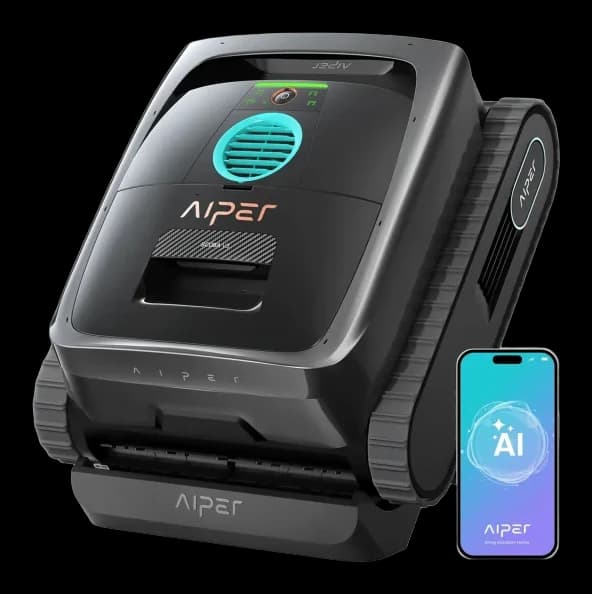
Scuba V3
Why consider it: Bob Vila watched it steer towards debris and lift sand and algae, and WIRED also credited its camera guidance.
The compromise: WIRED found it waits only briefly at the waterline before sinking, and had trouble with scheduling.
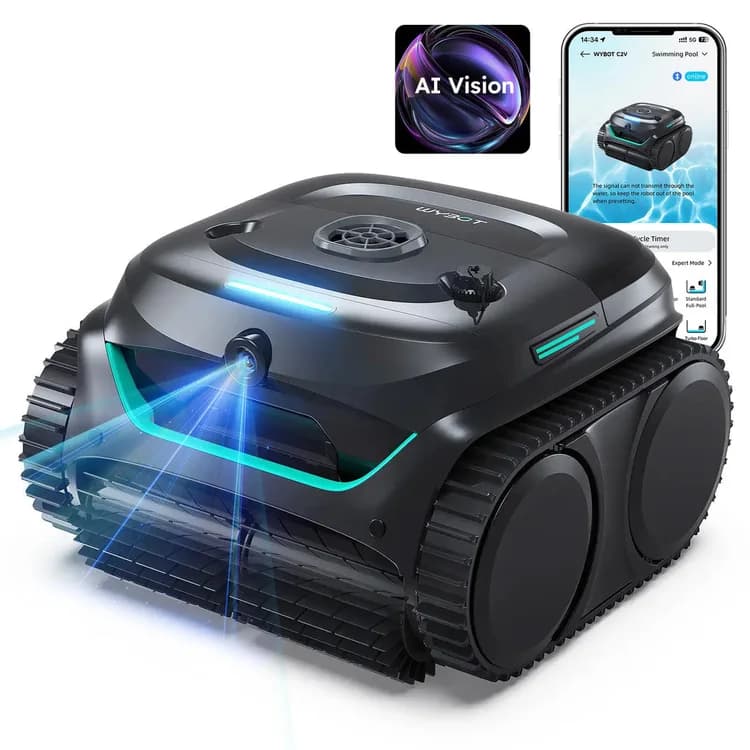
C2 Vision
Why consider it: Les Numériques saw its camera head for scattered leaves and stay until the patch was clear.
The compromise: Steps are a weak spot, and one owner with a fibreglass pool found rounded corners and the waterline missed.
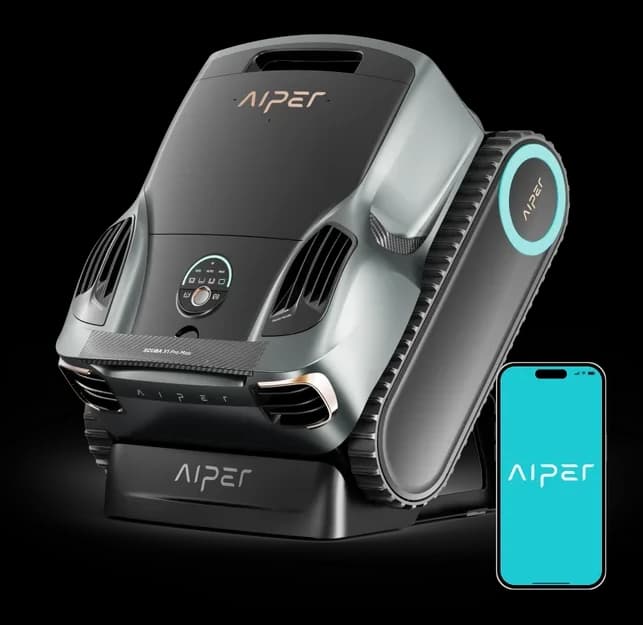
Scuba X1 Pro Max
Why consider it: T3 and Heise rate its cleaning among the best they've tested, and it skims the surface too.
The compromise: It's about 15kg dry, and Reviewed couldn't get it to finish a run.
Scuba X1 head to head
Head to head
Aiper Scuba S1 Pro vs Scuba X1
Our verdict: PCWorld's tester got slightly better leaf pickup from the older S1 Pro, while Digital Trends calls the X1 a worthwhile step up. The X1 adds a charging dock and a stronger pump. Both need hooking out, and both have fussy filters.
Specs
Full specifications
Each specification names its source. Manufacturer claims are not independent test results; unconfirmed figures are labelled.
Owner reviews
Do you own the Scuba X1?
Tell people how it’s held up: cleaning, maintenance, faults and support. Owner accounts are shown separately from independent reviews.
Sources
Where this page’s findings come from
Editorial reviews
Sources
Videos
- DOUG and NIKI: STOP Cleaning Your Pool! AIPER Scuba X1 Review: Mind-Blowing Results! ↗
- MR. GREG'S HOW TO: Aiper Scuba X1 Robotic Cordless Pool Cleaner | Is It Worth It? ↗
- Search YouTube for Aiper Scuba X1 ↗Search results may include company demonstrations or similar models. Check the source and model name; a demonstration is not an independent performance test.